Watch everything your AI agent does.
A live feed of every file your AI agent reads or writes and every network connection it opens, on Linux and macOS.
$ curl -fsSL https://raw.githubusercontent.com/GreyhavenHQ/greywall/main/install.sh | shOne install, then prefix any local agent with greywatch. Works on Linux and macOS.
Running Greywatch across multiple teams? We're building a managed governance layer.
“The act of verification creates trust.”
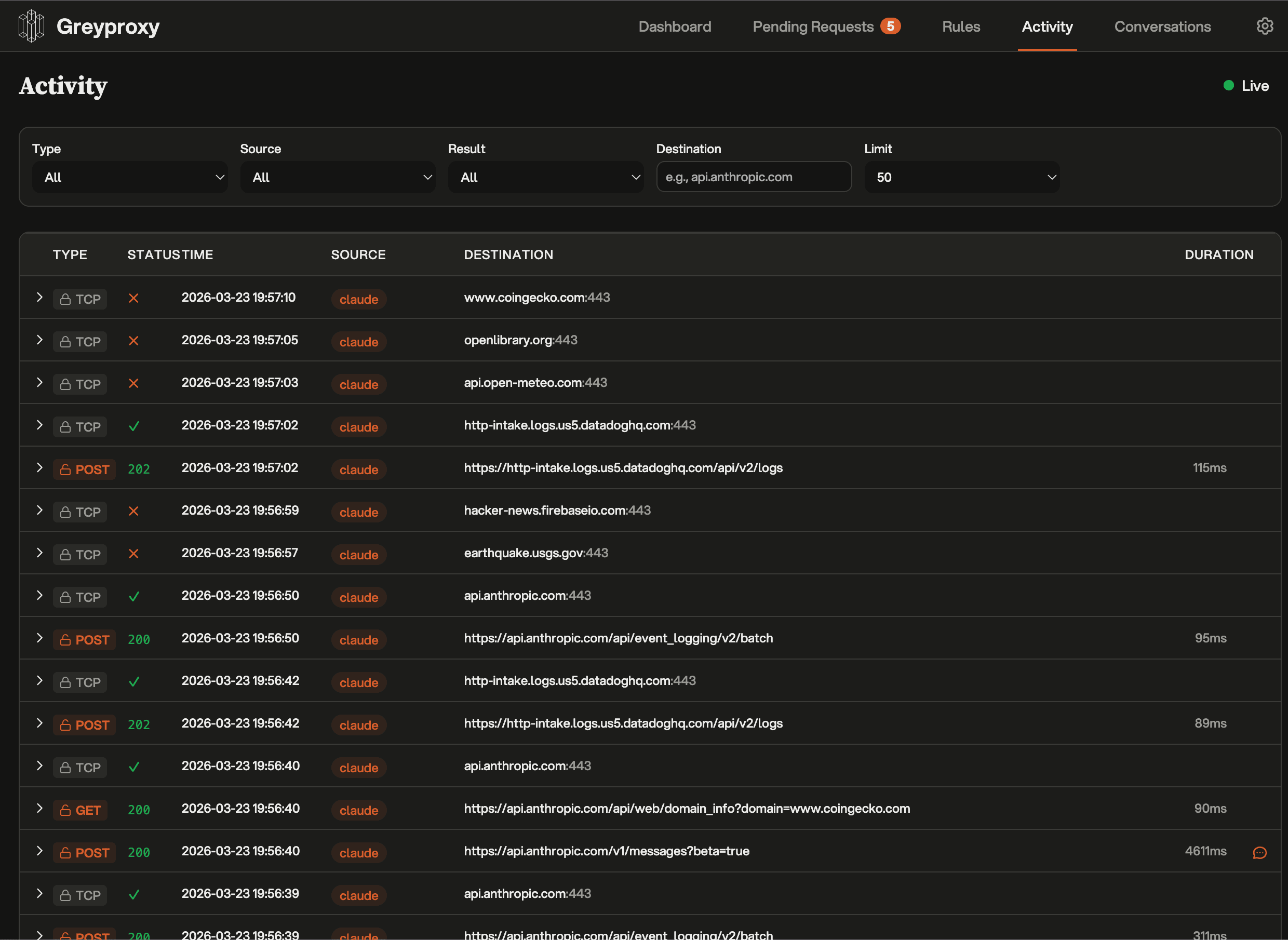
Greywatch shows the attempted reads, writes, and connections as they happen, so nothing the agent does stays hidden from you.
Watch every read, write, and connection live.
Greywatch records every read, write, and outbound request through GreyProxy as it happens. Nothing is blocked and nothing is hidden: the activity feed shows you exactly what the agent touched.
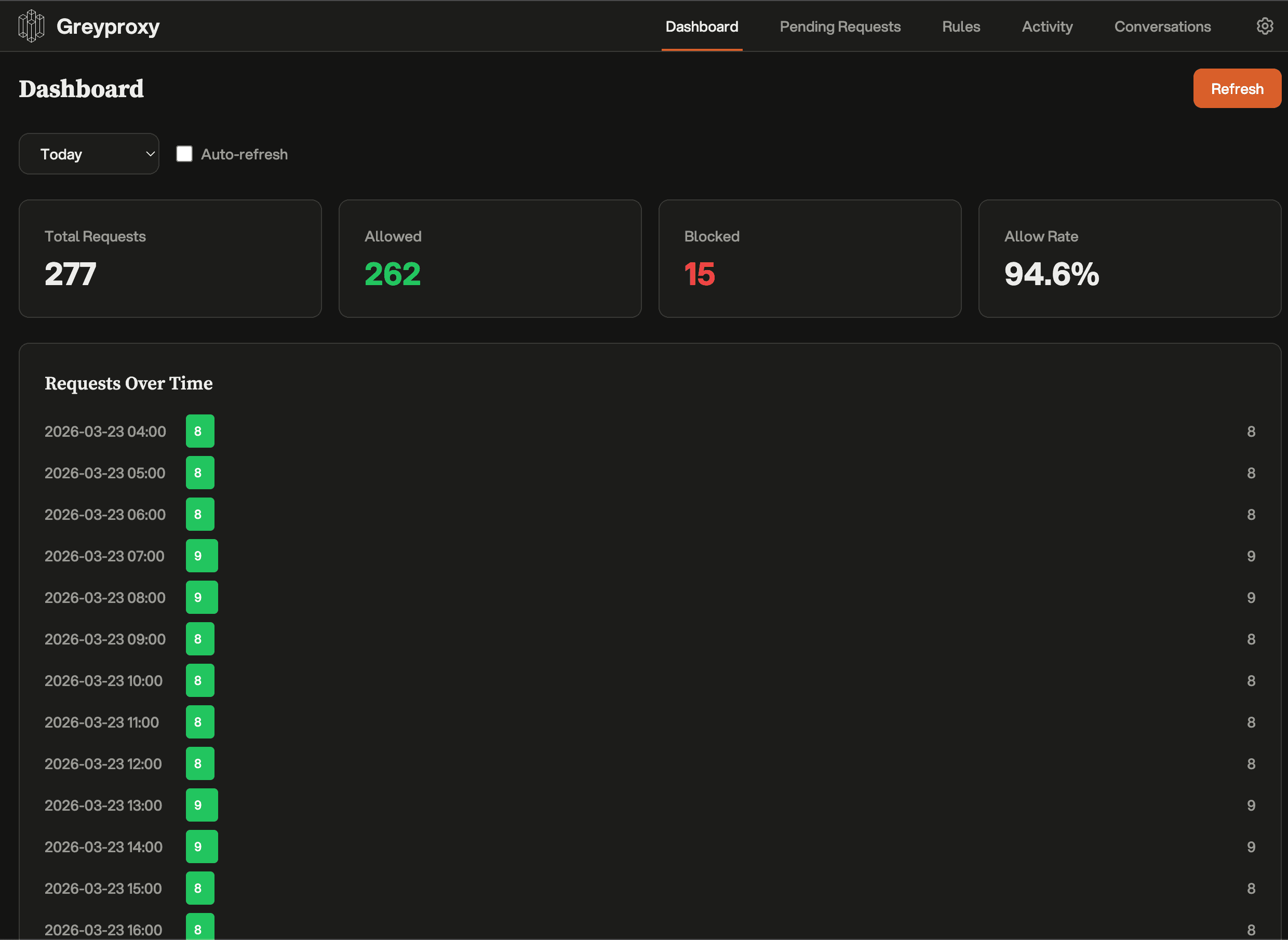
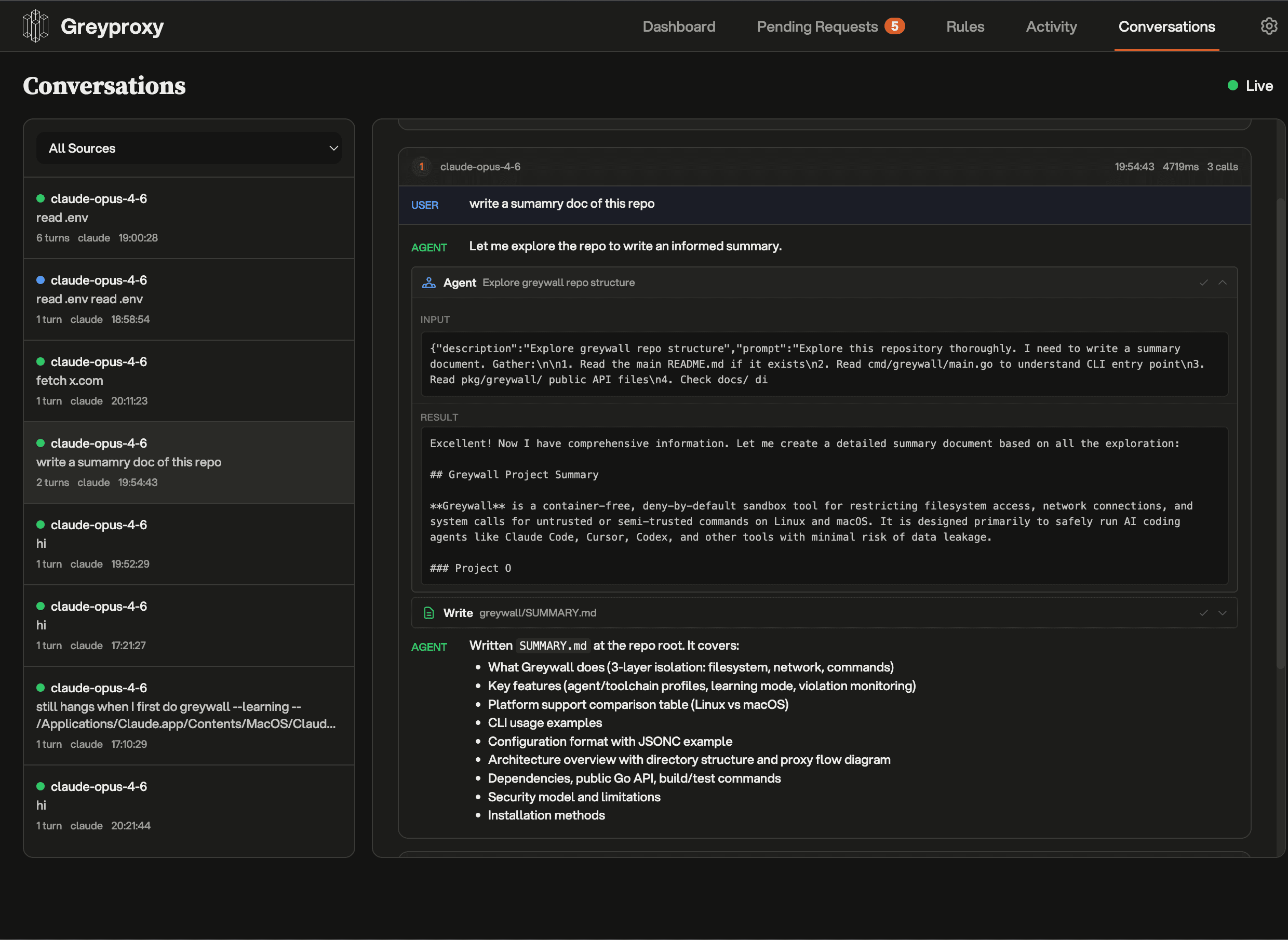
Every outbound request stays visible while the agent keeps running.
How to run it.
Greywatch ships inside Greywall. Install Greywall once and you get the greywatch command, a watch-mode alias that runs any agent with the live activity feed and blocks nothing.
1. Install
2. Watch any agent
greywatch -- claude --dangerously-skip-permissions
greywatch -- codex --yolo
greywatch -- opencode
greywatch is an alias for greywall --watch. Same agent, same flags. It streams a live activity feed and changes nothing about how the agent runs.
Works with every agent.
Greywatch sits under the agent process. If the tool runs locally, it runs inside the same observability and network boundaries without agent-specific setup.


Every layer, in plain view.
Greywatch surfaces every file the agent opens, every host it connects to, and every command it runs. It blocks none of it. The point is simply that you can see it, on whichever platform you work.
Filesystem activity
Every path the agent opens shows up in the feed, marked read or write. Sensitive paths (SSH keys, .env files, cloud credentials) are flagged so they catch your eye the moment they are touched.
Network activity
Traffic is routed through the TUN device and GreyProxy, so every outbound request is visible, even binaries that ignore proxy environment variables. Unusual destinations are flagged in the feed.
Command activity
Greywatch surfaces every command attempt, inside pipes, chains, and nested shells too. Risky-looking ones are flagged in the feed so you notice them.
Session log
Every session is written to a complete, timestamped log via eBPF tracing. Grep it, replay it, or pipe it into your own tooling.
Independent observability. The layer that watches your agent should stay separate from the vendor that ships the model. Greywatch is that vantage point, and nothing more.
How Greywatch sees everything.
Greywatch traces the agent from below. No agent cooperation, no instrumentation, no changes to how it runs. Each layer captures a different signal and feeds the same activity feed.
eBPF Monitoring
SyscallsTraces syscall exits in real time. Every read, write, and connection the agent makes is captured at the kernel boundary with full context: process, path, and result.
Process tracing
FilesystemFollows the agent and every child process it spawns, so filesystem access is captured no matter how deep the process tree goes.
Network namespace
RoutingPlaces the agent in its own network namespace so all of its traffic can be routed through the capture proxy. The agent reaches the network exactly as before.
TUN + SOCKS5 Proxy
NetworkTransparent network capture via a TUN device. Every TCP/UDP connection is surfaced with its destination and status, even binaries that ignore proxy env vars.
Graceful degradation. Greywatch checks the kernel features available on the host and enables the tracing layers it can support. Run greywatch --linux-features to inspect the active set.
Coming soon.
We're building a plugin layer on top of Greywatch for teams that need custom policy logic and shared operational controls.
Smart escalation
A model-backed heuristic watches the activity feed and surfaces the attempts you should look at first.
Custom feed plugins
Heuristics as code. Highlight, tag, or alert on whatever context you care about.
Model Council
A panel of models reviews ambiguous activity and flags what deserves a closer look.
Token-saving MITM
Cache, redact, and rewrite LLM traffic. Smaller bills.
Enterprise controls
SSO, audit trails, shared dashboards, managed deployments.
Running Greywatch across multiple teams? We're building a managed governance layer.
We built it for ourselves, then open-sourced it.
Greywatch was built by Greyhaven, where we build custom sovereign AI solutions for enterprises. We needed real-time visibility into what agents were doing inside client environments, so we built it.
It runs in production deployments today. We open-sourced it because the layer that watches the agent should not depend on the company selling the model.
The people behind it.


Need the rest of the system?
Greywatch is one layer in a larger deployment model. For teams that need private model hosting, workflow design, and contained end-to-end systems, Greyhaven builds the surrounding infrastructure.
Talk to our team→Frequently asked.
Greywatch is a command-line tool that wraps an AI coding agent in a local observability layer. Prefix the agent command with greywatch -- and you get a live feed of every file read, write, and network connection it attempts. It is observation only: Greywatch never blocks, denies, or sandboxes anything. It shows you what the agent does so you can see for yourself. Works on Linux and macOS.
Prefix the command you already use with greywatch --: greywatch -- claude, greywatch -- opencode, or any other local CLI agent. No config file, no Docker image, no agent-specific plugin. Greywatch runs the agent immediately and streams every read, write, and outbound request to a live activity feed.
No. Greywatch is purely an observability tool. It does not block files, deny network connections, stop commands, or sandbox the agent. The agent runs exactly as it would without Greywatch. What changes is that you can see every action it takes, as it happens, and step in yourself if something looks wrong.
Containers isolate software, but they separate the agent from the local toolchain and working copy you actually need, and they give you isolation without visibility. Greywatch keeps the agent in your normal local environment and gives you a live feed of everything it touches: reads, writes, outbound requests, command attempts. It is the visibility a container does not give you.
Yes. On macOS, Greywatch observes the agent through the Endpoint Security log stream and routes outbound traffic through the GreyProxy activity feed. Linux has more tracing layers available, but the macOS path provides the same observability story using built-in OS facilities.
On Linux, eBPF monitoring needs kernel 4.15, and the network proxy works on any kernel. On macOS, Greywatch uses the built-in Endpoint Security facilities, with no extra dependencies. Greywatch detects what is available on the host and enables the tracing layers it can support. Run greywatch --linux-features or greywatch check to inspect the result.
Greywatch works with local CLI agents that run as normal processes on your machine: Claude Code, Codex, Cursor, Aider, Goose, Amp, Gemini CLI, Cline, OpenCode, Copilot, and similar tools. Because Greywatch observes from below the agent, support does not depend on vendor-specific integrations.